Contents 6 sections
Mobile options compared
Players usually compare three ways to reach a casino on a phone: an app store download, an installation file and the browser version. Only the browser version is offered, and the table shows what each option means in practice.
| Option | Status |
|---|---|
| App Store (iOS) | Not offered |
| Google Play, APK file | Not offered |
| Mobile browser version | Available on iOS and Android |
| Home screen shortcut | Added through the browser menu |
| Account and balance | Shared with the desktop site |
Files offered as a blitzbet casino app on third-party websites are not published by the operator. Installing such files is not needed: the full functionality, including deposits and live chat, is available in the browser version of the site.
Adding the casino to the home screen
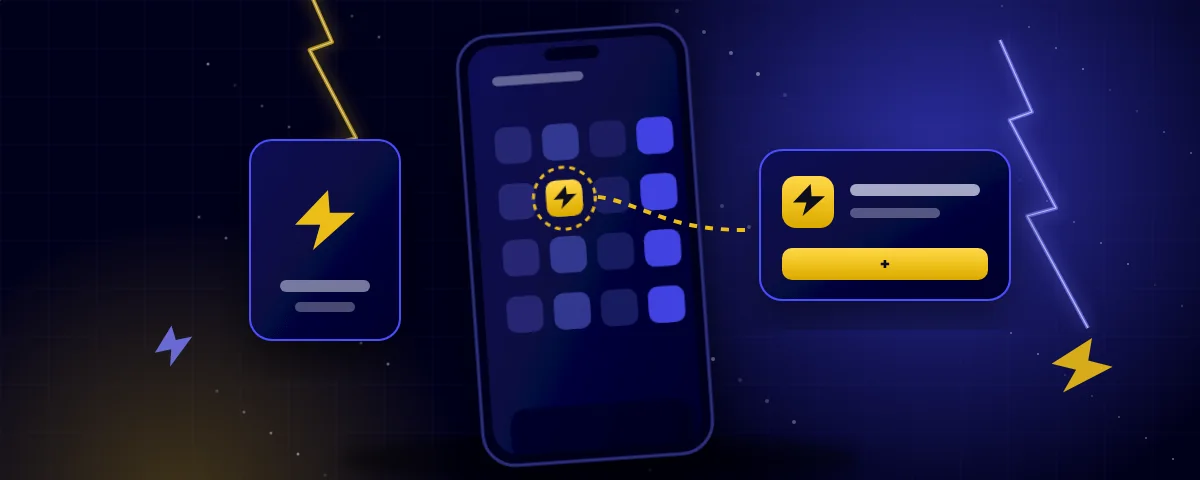
A home screen shortcut works like an app icon: it opens the casino in a separate window without the address bar. The steps differ slightly between Safari on iPhone and Chrome on Android, but take less than a minute in both browsers.
- Open the casino site in Safari on iPhone or in Chrome on Android and wait until the main page with the promotions carousel and the game rows is fully loaded.
- On iPhone, tap the Share icon at the bottom of the screen; on Android, open the menu with three dots in the top right corner of the Chrome window.
- Choose Add to Home Screen in the list of actions; Chrome may also show the option Install app when the browser recognises the site manifest.
- Keep or edit the name of the shortcut and confirm with Add; the icon appears on the home screen next to the other applications on the phone.
- Open the casino from the new icon and sign in once; the browser can keep the session, so the next visit starts directly in the player account.
The shortcut does not take up storage space and is updated together with the site, so there are no new versions to install. For players looking for a blitzbet app, this is the closest equivalent offered by the casino on iOS and Android.

Signing in on a phone
The mobile sign-in uses the same window as the desktop version: the Sign in button in the header opens the form with the Login or Email field and the password. The Forgot password? link works the same way on all devices.
- The password manager of the phone can save the login details after the first sign-in, which saves time on a personal device but is not advisable on shared phones.
- Mobile data and Wi-Fi both work for the sign-in, but a stable connection matters for live tables, where an interruption can end the current round.
- There are no push notifications, so news about promotions arrives through the e-mail address of the account and the messages section of the profile.
- Switching between the phone and the computer does not require a new account: the balance, active bonuses and VIP level are the same on every device.
- Signing out with the button in the profile menu is recommended on a shared device, because the browser can otherwise keep the session active.
If the mobile page asks for the password every time, the browser may be deleting cookies on exit. Allowing cookies for the casino site or using the home screen shortcut keeps the session between visits on the same phone.
What is available in the mobile version
The mobile site keeps all sections of the desktop version. The menu opens from the side panel and contains the lobby, sports, live casino, promotions, tournaments and the VIP club, while the cashier and the profile are in the header.
Payment methods in the cashier depend on the country of the account, so the list on the phone matches the desktop list. The welcome pack of up to €4,000 and 410 free spins is claimed in the same way on all devices.
Device requirements and common issues
The browser version runs on current iOS and Android devices with an updated browser. Users who search for a blitzbet casino app often only need to update Safari or Chrome, because old browser versions may display the lobby incorrectly.
- An updated browser is the main requirement: Safari, Chrome, Firefox, Samsung Internet and Edge display the mobile version of the casino correctly.
- Free memory and closed background apps help heavy slots and live tables load faster and run smoothly on older phones with limited resources.
- If the page loads without images or styles, clearing the browser cache for the casino site and reloading the page usually fixes the display within seconds.
- A pop-up blocker can stop some games from opening; allowing pop-ups for the casino site in the browser settings solves this in most mobile browsers.
- Battery-saving modes can pause a stream, so a live table is best played with power saving switched off and with a longer delay for the automatic screen lock.
When a problem remains after these steps, the support team can check the account and the device data through live chat. A screenshot of the error and the browser version help to find the cause faster.
Frequently asked questions
Is there an app in the App Store or Google Play?
No. The casino does not publish a store application; the mobile version works in the browser of the phone.
Do I need a new account for the phone?
No. The same login details, balance and bonuses are used on the phone, the tablet and the computer.
How do I put the casino on the home screen?
In Safari use Share → Add to Home Screen; in Chrome open the three-dot menu and choose Add to Home Screen or Install app.
Can I deposit and withdraw on mobile?
Yes. The cashier is available in the header of the mobile site with the same payment methods as on the desktop version.